The Colonial Heritage Tech Club steering team will contribute articles that we hope will be of interest to club members.
Tuesday, April 21, 2026
Glo Fiber in Colonial Heritage: I have Cox Cable Internet and TV so why should I switch to GloFiber Internet?
Wednesday, May 22, 2024
How to rescan for local OTA Channels in SlingTV
One of the requirements for receiving a good antenna signal is to need to rescan channels quarterly. For those of you with Sling and an AirTV digital tuner, here are the simple steps to follow:
From within the Sling mobile App:
- Select your account icon in the upper right corner of the app
- Select Local Channels
- Select Connected Device
- Select the name you assigned to your local device, the default is "AirTV"
- Select Rescan Channels
- Select "outdoor antenna"
- Leave the device name - click Next
- Enter your local zip code - click Yes
- Antenna placement (make no change) - Click Next
- Antenna connection (make no change) - Click Next
- Start to Scan which should complete in 1 minute.
- Click "Personalize my guide now"
- Click "Deselect All"
Tap twice to "favorite" a channel
Tap 3 times to unselect
Only select strong (green) channels
Here are my filtering suggestions:
3.1 CBS
8.1 ABC
10.1 NBC
15.1 PBS
15.2 PBS World
15.4 PBS Create
27.1 CW
43.1 Fox
49.1 Ion
49.2 Scripps News
49.3 Ion Mystery
- Click Finish to save your settings
Friday, September 22, 2023
The New Improved Gen4 Tablo OTA Tuner / DVR
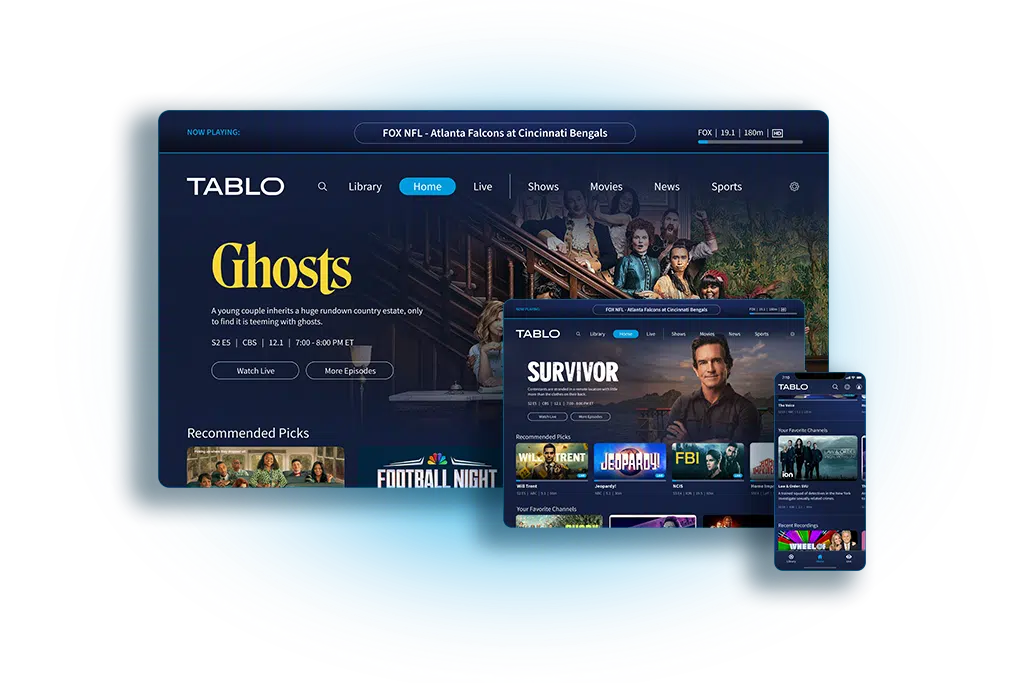
The newly redesigned Gen4 Tablo device will satisfy all of your Over The Air (OTA) and streaming needs for under $100. It lets you watch live and recorded shows for free, wirelessly, on any TV in your home using an OTA antenna, in beautiful HD quality.
The new Tablo integrates two OTA digital tuners along with a 128Gb DVR which is enough to receive, record and playback 50 hours of antenna based TV. The user interface also includes around 50 streaming channels from Scripps, the company who recently purchased Tablo.
Tablo sends a wireless signal to smart devices, allowing you to watch and record live TV shows on your smart TVs, phones and/or tablets anywhere in your home. The DVR is able to record approximately 50 hours of content with its onboard storage. But by adding an external DVR of up to 8Tb, you can record over 1000 hours or content.
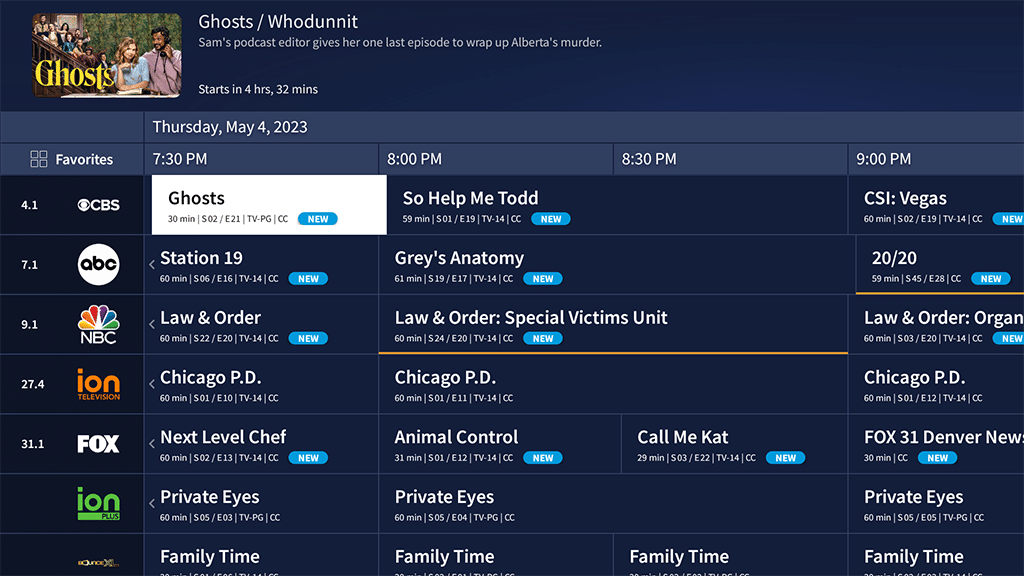
Tablo is also able to receive/record 50+ streaming channels via an integrated live channel guide. The two tuners allow the system to view or record two channels simultaneously on multiple TVs from several interfaces including Roku, Fire, Google and others. The device is now subscription free and also provides a free seven day 24 hour channel guide. A four tuner version is expected to be available in the future. The Tablo user interface is conveniently organized with a recordings library: a home screen which helps display content such as shows, movies, news and sports.
As with all OTA tuners, it’s recommended to run a channel scan quarterly. Tablo has this process down to a science with a simple, intuitive tuner interface that allows you to scan, select and deselect OTA and streaming channels directly from within the TV app. All TVs in the home then receive the same picture perfect HD signal.
You most likely won’t need them, but Tablo customer support is very good and you can actually speak to a real person!
The competition: Sling’s AirTV is the most significant competition. Similar to Tablo, the AirTV has both a two and four tuner model with either built in or external DVR options up to 8Tb. Sling integrates OTA, streaming and on-demand TV, movies, news and sports.
The bottom line: Is the new gen4 Tablo a good buy? In my opinion, yes it seems to be a good OTA digital tuner and recorder that also integrates popular streaming content.
Tuesday, January 25, 2022
Tech Club Streaming & OTA Cost Savings Calculator
Do you still get your TV content through Cable or Satellite? Or are you among the nearly 65% of the population who are planning to or have already “cut the cord” in favor of free and subscription based streaming service? Have you gone a step further and now watch TV for free using an antenna?
How many times have you seen a Cable company commercial where they try to tell you that you will pay more if you stream? The truth is cord cutting can be completely free or it could cost more than your current cable or satellite TV service. It all depends on what you watch and which subscription service you choose.
If you are someone who primarily watches local network TV, after installing a digital antenna, your monthly cost could be completely FREE. If on the other hand, you watch premium TV content your monthly cost will be based on what subscription services you want. One important difference between Cable and streaming is with streaming there are no contracts and you can cancel services any time you want.
How much does it cost to switch from Cable or Satellite to streaming or OTA? After switching what will you save? Let's look at a few examples. We will assume you are currently paying $150/month for Cable TV. To switch, you may need internet service which will cost approx $50/mo. If you go with free antenna based TV, you would first need to add a UHF/VHF antenna (especially in our area) which will cost approximately $125. You may want to add an optional DVR so you can record and watch TV at any time. That will cost $100. If you have multiple TVs you may want to add an optional streaming stick at $50/TV. This sounds like a lot but in reality your return on investment (ROI) for the internet with OTA TV is only 2.8 months with an annual savings of $1,200. If you go with the internet and a streaming service like Sling TV Blue (with 40 premium channels) your ROI would be 5 months with an annual savings of $660!
Don’t forget that with streaming you have hundreds of free services like Pluto TV, Tubi TV, Crackle TV, XUMO and many more. All with thousands of live and on-demand TV and movies.
If you’d like to calculate the cost savings possible from cord cutting, the Colonial Heritage Tech Club has developed a simple cord cutting calculator that will determine your ROI and annual cost savings.
Visit us on our Tech Club website, Facebook or Nextdoor. We’d love to hear about some of your own cord cutting experiences.
Saturday, February 27, 2021
Chromecast with GoogleTV: The New Streaming King?
At the end of 2020, Google released its newest streaming device ... Chromecast with Google TV. As many of you know, there are several well established competitors on the market including Roku, Fire TV and Apple TV. So, is Chromecast with Google TV better? Let’s look at the specs and take it for a “test drive".
A Chromecast dongle with a connected HDMI jack, USB-A to USB-C power cable with power adapter and 2 AAA batteries, a wireless remote control with Bluetooth and IR blaster, power, volume, mute, TV input selection and of course the amazing Google Assistant voice control as well as YouTube and Netflix shortcut buttons. As with all Google devices there is online help and support if you need it.
The device comes in 3 colors, White or much harder to come by Pink and Blue. The remote is very easy to use and similar to that of Roku. It controls your TV, speakers or a sound bar. You can even add a wireless keyboard, mouse, web camera or gaming remote. It supports 4k HDR 10+, Dolby Vision and Dolby Atmos sound. You can find all the major apps you need. Set up is simple - just plug-in, connect to WiFi, log into your favorite streaming services and start streaming!
Using the Device
The user experience is seamless. You don’t need to go into individual apps. The interface aggregates content you normally watch and displays it horizontally and vertically in categories. It is a very clean, visual and simple design to use. Just click on the show that is displayed and it will go directly into the app where it is located. You can also create a watch list. The system even plays your favorite music while looking for something else to stream. Let the system know your likes and dislikes and the interface will happily deliver more shows that fit your preferences, based on your personal user profile.
Can it be better?
There is always room for improvement:
- Currently you cannot log into a hotel’s secure WiFi network when traveling. This feature is available on Roku.
- The Google TV ecosystem of apps is large but not nearly as what is found in Roku.
At a competitive price of $49.00, many reviewers consider Chromecast with Google TV to be the best streamer on the market today … even better than the king of streaming - Roku. The most noticeable advantage Google TV has is that it reads the contents of all your subscription services and places it front and center for your viewing pleasure without unwanted advertising. Your paid subscription content watch lists are displayed in the Google TVs integrated user interface under the “For You” tab. The interface is similar to FireTV (which is licensed from Google) but Google raises the subscription integration to a much higher level. Google TV is content agnostic - meaning the search results do not favor one streaming service over another the way Fire seems to favor Prime video content.
The Bottom line - Chromecast with Google TV is a significant value for all the features that it offers. Time will tell but from my perspective it seems to be a winner!
If you have any questions contact us at Campsite.bio/CHTC
Glo Fiber in Colonial Heritage: I have Cox Cable Internet and TV so why should I switch to GloFiber Internet?
CH Tech Club - April 21, 2026 As many of you know, Glo Fiber will be available throughout all of Colonial Heritage in the coming months. Bu...
-
CH Tech Club - April 21, 2026 As many of you know, Glo Fiber will be available throughout all of Colonial Heritage in the coming months. Bu...
-
Finally, after a seemingly endless wait, Verizon FiOS Internet is beginning to expand its access in Colonial Heritage. Fiber trenching throu...
-
By Calvin Croucher Mesh routers are becoming increasingly popular among Colonial Heritage homeowners. Why? Because they offer a way to exte...